
Defense View — AFFIDAVIT GPT
A Super Guide to Turning Chaos Into Court-Ready Clarity
By Victor J. Rosario
Important legal note (read first): This article is educational and informational. I am not your attorney, and this GPT is not a law firm. Laws, deadlines, local rules, and procedures vary by jurisdiction and case type. If you have a lawyer or public defender, use this GPT to organize, summarize, and prepare—and then confirm everything with counsel. If you’re in custody or under court supervision, follow facility and court rules before sharing documents or recording anything.
GPT link: https://chatgpt.com/g/g-6974748c6a1c8191871d4374bf404740-defense-view-affidavit-gpt
1) What “Defense View — Affidavit GPT” is meant to do
Defense View — Affidavit GPT is built for one mission:
Take your case information and turn it into organized, court-ready structure
Not vibes. Not scattered screenshots. Not “I’ll remember it.” Structure.
It’s meant to help you:
- Draft and clean up affidavits (clear, chronological, factual, consistent).
- Organize charges and alleged facts into understandable parts.
- Build an evidence map (what you have, where it came from, what it proves).
- Create a timeline that can’t be easily shaken.
- Prepare hearing notes and “what to say / what not to say.”
- Generate attorney-ready packets (short, labeled, accurate).
- Track tasks and deadlines so you don’t get crushed by process.
This GPT is not “magic.” The power comes from the system: you + consistent data + repeatable format.
2) Who it’s for (and who it’s not for)
It’s for:
- People building a defense file with a public defender or private attorney.
- People who need to write an affidavit or statement that is coherent and accurate.
- People who have a messy pile of documents and need to stop drowning.
- People who need to communicate clearly with lawyers, family, advocates, or investigators.
- People preparing for trial, suppression hearings, bond hearings, or motions.
It’s not for:
- Anyone trying to fabricate facts, pressure witnesses, or evade lawful supervision.
- Anyone seeking legal advice as a substitute for counsel.
- Anyone trying to generate “fake evidence” or impersonate officials.
If you’re serious about defending yourself the right way, you don’t need hype. You need organization, credibility, and discipline.
3) The core problem: court cases destroy people through disorganization
Most cases don’t fall apart because someone is “too innocent.” They fall apart because the defendant can’t present a clean, consistent narrative.
Here’s what usually happens:
- You have screenshots everywhere.
- Messages are missing dates.
- Files have names like
IMG_4029.jpg. - Your timeline changes every time you explain it (because memory shifts under stress).
- You tell your lawyer 30 things at once, and none of it lands.
- You bring “a lot” of evidence, but it isn’t labeled, logged, or tied to claims.
- The state’s narrative becomes the only clean story in the room.
Courts reward clarity—even when they shouldn’t. So your job is to build clarity.
Defense View is designed to do exactly that.
4) The Defense View method
This GPT is built around one method:
One Source of Truth (SOT)
Everything goes into a single structured case file.
One Timeline
Every event gets a timestamp (even approximate), location, and source.
One Evidence Map
Every claim ties to evidence. Every piece of evidence has a label and purpose.
One Affidavit
A court-facing statement that doesn’t spiral, doesn’t editorialize, and doesn’t self-sabotage.
When you do this right, you stop being “a person with complaints,” and become: a person with a documented record.
5) What you should prepare before you use it
If you want the GPT to produce clean output, give it clean input. Here’s the minimum:
Case basics
- Case number(s)
- Jurisdiction (county/state)
- Court division (if known)
- Charge titles (as listed)
- Date of arrest/incident
- Bond conditions / supervision constraints (if any)
Your documents (even partial)
- Arrest report / probable cause affidavit (if you have it)
- Citation(s)
- Notice to appear
- Any court paperwork (dates, orders)
- Photos/videos you intend to reference
- Text messages/emails relevant to the allegations
- Witness names and what they observed (do not harass anyone)
Your goals
- “I need a clean affidavit for my attorney.”
- “I need a timeline and evidence map.”
- “I have contradictions in police report—help me list them cleanly.”
- “I need a hearing prep sheet.”
If you’re missing some of these, it’s fine—the workflow below lets you build gradually.
6) The step-by-step workflow
This is the recommended use pattern. Don’t freestyle. Use the system.
Step 1 — Intake (build your “Case Profile”)
You start by creating a single profile:
- Who you are (basic ID, not private details you don’t want saved)
- What the case is
- What the allegations are
- What you claim happened (short version)
- What evidence exists
Output: Case Profile Summary + tasks list.
Step 2 — Timeline build
You then write the timeline like a flight recorder:
- Date/time (or best estimate)
- Location
- Event description (factual)
- Source (your memory, text message, photo timestamp, report page, etc.)
Output: Master Timeline.
Step 3 — Evidence inventory
You list every item:
- File name
- What it shows
- Where it came from
- Why it matters
- Whether it’s original or a screenshot/copy
Output: Evidence Log + recommended naming system.
Step 4 — Charge map (elements + defenses)
You list the charge(s) and identify:
- What the prosecution must prove
- Which alleged facts support each element
- Which facts you dispute
- Which evidence contradicts the claim
Output: Charge-to-Evidence Matrix.
Step 5 — Affidavit drafting (clean and safe)
Only after you have timeline + evidence do you draft the affidavit. Because affidavits written “from emotion” often contain contradictions and unnecessary admissions.
Output: Affidavit Draft v1 (and then v2, v3).
Step 6 — Attorney packet
You shrink it down to what counsel actually needs:
- 1-page case summary
- 1-page timeline highlights
- Evidence list with top 10 “key exhibits”
- Contradictions list (report vs objective evidence)
- Questions for attorney (short)
Output: Attorney Packet.
Step 7 — Hearing/trial prep
Now you generate:
- Hearing checklist
- Cross-exam question banks (for your attorney’s use)
- “If asked X, answer like Y” practice
- Exhibit list and foundation notes
Output: Court Prep Kit.
7) How to build a clean affidavit that doesn’t hurt you
An affidavit is not a rant. It’s not a manifesto. It’s not a TikTok caption. It’s a structured statement.
The affidavit rules that keep you safe
- Stick to facts (dates, times, places, actions).
- Do not guess. If you don’t know, say “I do not know” or “I do not recall.”
- Separate what you saw vs what you heard.
- Avoid absolute claims you can’t prove (“always,” “never,” “everyone”).
- Do not include irrelevant accusations that can’t be supported.
- Avoid admissions that your lawyer hasn’t approved.
- Be consistent with exhibits (and reference them correctly).
The affidavit structure
Use this format every time:
A) Identity & purpose
- “My name is ____. I make this statement based on my personal knowledge to describe events related to Case No. ____.”
B) Background context (short)
- Only what the court needs to understand the timeline.
C) Chronological events
- Numbered paragraphs.
- One event per paragraph.
- Date/time/location.
D) Evidence references
- “Exhibit A: ____”
- “Exhibit B: ____”
E) Clarifications
- If something is uncertain, label it.
F) Closing statement
- “I declare under penalty of perjury…” (jurisdiction dependent; your attorney will confirm the correct language)
Defense View is meant to help you write it like this, not like social media.
8) Evidence control: labels, logs, chain-of-custody, credibility
Evidence doesn’t become persuasive because it exists. It becomes persuasive when it is organized, authenticated, and explainable.
File naming system (simple but powerful)
Use: YYYY-MM-DD_HHMM_Location_Source_Description_v1.ext
Example: 2025-11-15_1602_Brickell_iPhoneVideo_MegaphoneStop_v1.mov
Evidence Log fields
Each item should have:
- Exhibit ID (A, B, C… or 001, 002…)
- File name
- Date created
- Source (who created it)
- How obtained
- What it shows
- What claim it supports
- Integrity notes (original vs edited vs screenshot)
The “credibility ladder”
Courts trust evidence in this order (generally):
- Original files with metadata
- Originals plus a clear chain-of-custody
- Copies with consistent timestamps
- Screenshots without context (weakest)
So if you can preserve originals, do it. If you can’t, document what you have and why.
9) Charges + elements map: what must be proven
Here’s a key mindset shift:
Your defense is not “I’m a good person.”
Your defense is: They can’t prove elements. Or: They’re wrong about the facts. Or: The process was unconstitutional. Or: The evidence is unreliable/inadmissible.
Defense View helps you translate charges into:
- Element 1 → Evidence supporting it → Evidence contradicting it
- Element 2 → Evidence supporting it → Evidence contradicting it
…and so on. Even if you don’t know the exact legal elements, you can still build the matrix:
- “They claim I did X.”
- “Here is what actually happened.”
- “Here is what proves it.”
Then your attorney can apply the correct statutes and motions.
10) Contradictions and “impeachment packets”
If the police report says one thing, and objective evidence says another, you don’t scream. You document.
A contradiction list should look like this:
- Claim in report: (quote or summary + page/paragraph)
- Objective evidence: (exhibit ID + what it shows)
- Why it matters: (ties to charge element or credibility)
- Follow-up questions: (for attorney)
This becomes an “impeachment packet”—not a conspiracy rant. A clean list that forces accountability.
11) Discovery and records requests: stay organized and realistic
Defense View can help you track what exists and what you’ve requested, such as:
- Body cam / dash cam
- CAD logs
- Dispatch audio
- Radio traffic
- Incident reports
- Supplemental reports
- Witness statements
- Property/evidence room logs
- Chain-of-custody forms
- Surveillance footage (private businesses, traffic cams if applicable)
- Jail calls/visits logs (if relevant and lawful)
But your attorney (or you, if pro se where allowed) must handle the formal process. The GPT helps you create a shopping list and a tracker, not legal filing authority.
12) Hearings, motions, and court dates: tracking without losing your mind
Most people lose because they miss:
- deadlines
- dates
- what was said last time
- what the judge ordered
Defense View is meant to produce a simple “hearing note template”:
- Date / time / courtroom
- Who was present
- What issues were discussed
- What was ordered
- Next date
- Tasks + responsible party
If you do this consistently, you build a record that protects you.
13) Working with lawyers/public defenders
If you want your lawyer to take you seriously, send them clean packets, not chaos.
What attorneys love
- A one-page summary
- A numbered timeline
- Labeled exhibits
- A short contradictions list
- A short questions list
What attorneys hate
- 37 screenshots with no dates
- 20-minute voice notes
- A 10-page manifesto accusing everyone
- Claims you can’t prove
- Shifting stories
Defense View helps you become a client who speeds the case up.
14) Phone-first instructions
Most people are building this from an iPhone. That’s fine.
Phone workflow
- Create one folder per case (in Files / iCloud / Google Drive—your choice).
- Create subfolders:
01_CourtDocs02_Reports03_PhotosVideos04_Messages05_Exhibits_Final06_Timeline
- Rename key files using the naming system.
- Create a single Notes file called:
CASE_MASTER_NOTES.txt
- When you talk to the GPT, paste sections from that master note (not everything at once).
- Every time the GPT outputs a timeline or affidavit revision, paste it back into your master note labeled:
AFFIDAVIT_v1AFFIDAVIT_v2TIMELINE_v3
This prevents you from losing versions.
15) Privacy and safety
Be smart. Your case is not a content farm.
Redaction basics
Before sharing documents, consider removing:
- Social Security numbers
- Full DOB
- Home address
- Names of minors
- Medical info
- Financial account numbers
Don’t upload what you don’t need
If a page contains private info irrelevant to your affidavit, don’t paste it. Summarize it.
If you have counsel
Ask them what they want. Don’t surprise them with public posts.
16) Templates + JSON starter pack (copy/paste)
If you want Defense View to operate like a machine, use structured data. Here are lightweight templates.
case_profile.json
`{
          "case_number": "FILL_ME_IN",
          "jurisdiction": "FILL_ME_IN",
          "court_division": "FILL_ME_IN",
          "defendant_name": "FILL_ME_IN",
          "incident_date": "YYYY-MM-DD",
          "summary_in_one_sentence": "FILL_ME_IN",
          "charges": [
            {"count": 1, "title": "FILL_ME_IN", "statute": "UNKNOWN"}
          ],
          "key_people": [
            {"name": "FILL_ME_IN", "role": "officer/witness/complainant/other", "notes": "FILL_ME_IN"}
          ],
          "current_status": {
            "next_court_date": "YYYY-MM-DD",
            "bond_conditions": "FILL_ME_IN"
          }
        }`
timeline.json
`[
          {
            "dt": "2025-11-15T16:00:00",
            "dt_accuracy": "exact/estimated",
            "location": "FILL_ME_IN",
            "event": "FILL_ME_IN (factual description)",
            "source": "memory/video/report page 2/etc",
            "exhibits": ["A"]
          }
        ]`
evidence_log.json
`[
          {
            "exhibit_id": "A",
            "file_name": "2025-11-15_1602_Brickell_iPhoneVideo_MegaphoneStop_v1.mov",
            "type": "video",
            "source": "FILL_ME_IN",
            "date_created": "2025-11-15",
            "what_it_shows": "FILL_ME_IN",
            "supports": ["timeline:2025-11-15T16:00:00", "credibility", "location"],
            "integrity_notes": "original file preserved"
          }
        ]`
questions_for_counsel.json
`{
          "top_questions": [
            "What are the exact elements of each charge in my case?",
            "What discovery has the State provided and what is missing?",
            "Do you recommend an affidavit, or should we avoid statements right now?",
            "What motions might apply (suppression, dismissal, limine, etc.)?"
          ]
        }`
These templates are intentionally simple. The power is consistency.
17) 25 high-power prompts to use inside the GPT
Copy/paste any of these:
- “Use this case_profile.json and build a one-page attorney summary.”
- “Convert this timeline into a clean affidavit draft with numbered paragraphs.”
- “Rewrite my affidavit to remove emotion and keep only verifiable facts.”
- “Create an evidence map: claim → exhibit → why it matters.”
- “List contradictions between this report excerpt and Exhibit A.”
- “Turn these screenshots into an organized message log with dates.”
- “Create a hearing prep sheet for a bond hearing based on this timeline.”
- “Generate questions my attorney should ask the officer based on these inconsistencies.”
- “Create a trial binder index: sections, exhibits, and quick references.”
- “Build a motion tracker: deadline, purpose, status, notes.”
- “Summarize this police narrative into neutral language without agreeing with it.”
- “Make a timeline that includes only what can be corroborated by exhibits.”
- “Identify what evidence is missing that would normally exist in this type of stop.”
- “Create a ‘Do not say’ list for court based on affidavit best practices.”
- “Prepare a 60-second case summary I can tell my lawyer.”
- “Prepare a 2-minute case summary for a family member (non-legal).”
- “Turn my notes into a structured statement: who/what/when/where/how.”
- “Generate a list of exhibits and short captions for each.”
- “Create a checklist for ‘court tomorrow morning’ so I don’t forget anything.”
- “Build a cross-reference table: timeline row → supporting evidence.”
- “Rewrite this paragraph to clarify pronouns and remove ambiguity.”
- “Find vague claims and suggest what detail I need to add (date/time/location).”
- “Create a folder structure and file naming plan for my case.”
- “Create a discovery request shopping list based on my allegations.”
- “Create an attorney email draft summarizing my top 5 issues and exhibits.”
18) Motions, objections, and strategy — the “court leverage” layer (educational)
If the prosecution’s story is the only clean story in the room, you’re already behind. But if the government’s evidence is shaky, obtained unlawfully, incomplete, or internally inconsistent, the defense can often shift leverage through motions and disciplined objections.
Defense View — Affidavit GPT is not filing anything for you. What it can do is help you build a structured “strategy worksheet” so your attorney can quickly evaluate options.
Common motion categories (general concepts — your lawyer confirms)
- Suppression of evidence: When evidence was obtained in violation of constitutional or statutory rights (e.g., unlawful stop, unlawful search, coerced statement).
- Dismissal / defect challenges: When a charging document is legally insufficient or facts can’t support the charge as filed.
- Discovery enforcement / sanctions: When discovery is late, incomplete, or not preserved.
- Motions in limine: To exclude prejudicial or irrelevant evidence at trial.
- Continuances: When time is needed to review discovery, locate witnesses, or retain experts.
- Competency / capacity issues: Only if legitimately relevant and raised by counsel.
- Bond modification: When conditions are unreasonable or circumstances change.
How the GPT helps (without pretending to be a lawyer)
You feed it:
- the police narrative (as written),
- your timeline,
- your evidence list,
- your disputed points.
Then you ask it to output a Motion Issues Spotter in this format:
- Issue name: (e.g., “Reasonable suspicion for stop”)
- What the report claims:
- What you claim happened:
- Objective evidence:
- Why it matters:
- Questions for counsel:
- Missing records that would confirm/deny:
This turns “I feel like this was illegal” into a structured question your attorney can actually work with.
Objections: don’t memorize 100 rules—track patterns
Many defendants self-destruct by trying to “lawyer” the case in public or in court without counsel. Instead, track patterns in the evidence:
- Vague time windows (“around 4pm”) that conflict with timestamped media
- Missing reports for obvious events
- Copy/paste boilerplate that doesn’t match the scene
- Descriptions that don’t match camera footage
- Claims that are conclusions, not facts (“subject was nervous,” “subject was evasive”)
The GPT can help you mark those patterns, but the decision to fight them belongs to your lawyer.
19) Stops, searches, and statements — how to document constitutional issues (educational)
A huge amount of “case leverage” comes from three questions:
- Was the stop lawful?
- Was the search lawful?
- Were any statements voluntary and properly obtained?
A) Stop analysis checklist (fact gathering, not legal conclusions)
Collect facts that help counsel analyze whether a stop was justified:
- Exact location (intersection, address, parking lot name)
- Exact time window (from your phone + any available receipts, maps history, calls)
- What the officer said first and why
- Whether lights/siren were used and when
- Whether you were ordered to do anything
- Whether you were free to leave (ask: “Am I being detained?”—but don’t argue)
- Whether any field tests or commands were given
Defense View output you want: a “Stop Narrative” that is neutral, chronological, and references exhibits.
B) Search analysis checklist
Document:
- Was consent requested? (exact words)
- Did you say yes/no? (exact words)
- Did they claim a warrant?
- What areas were searched?
- Who searched and who was present?
- Was property taken? Was a receipt provided?
- Did they seize your phone? If so, when, and what happened next?
Even if you are certain the search was wrong, your affidavit should read like a camera: what happened first, then what was said, then what was done.
C) Statements and “I didn’t realize I was admitting something”
Many people get hurt by casual statements made during stress. If your lawyer has not advised you to create a sworn statement, consider drafting a private internal draft first:
- A timeline that stays private
- An evidence list
- A one-page summary for counsel
If counsel later wants an affidavit, the GPT can convert your internal draft into a sworn version safely.
22) Digital evidence and phone forensics — make your media court-usable
Court fights are increasingly “video vs narrative.” But video only wins if you can explain it.
The 5 rules of digital evidence discipline
- Preserve originals (don’t edit the only copy).
- Record the source (who recorded it, what device, what app).
- Keep context (what happened before and after the clip).
- Create a transcript for audio/video.
- Document integrity (any edits, exports, or compressions).
A simple “Video Transcript + Time Index” template
For any key video, create a transcript like:
- 00:00–00:08 — camera points at , audio: “”
- 00:09–00:25 — officer says: “____”
- 00:26–00:40 — you say: “____”
- 00:41–01:05 — action: ____ (hands visible / movement / lights / etc.)
This is how you turn “watch my video” into “here is exactly what matters.”
Metadata reality check
Metadata can help, but it can also confuse.
- iMessage screenshots can lose timestamps.
- Social media downloads can strip original times.
- Edited clips can change file creation dates.
So Defense View recommends two labels:
- Event time (when it happened)
- File time (when the file was created/exported)
Your evidence log should store both.
20) Witnesses, ethics, and credibility — how to avoid destroying your own case
Witness handling is where people ruin good defenses. Keep it clean.
What you should do
- Write down witness names, contact info (if you already have it), and what they observed.
- Separate first-hand observations from opinions.
- Preserve messages exactly as they exist.
- Let your attorney (or investigator) conduct contact where appropriate.
What you should not do
- Do not pressure, threaten, or “coach” witnesses.
- Do not ask anyone to “say it this way.”
- Do not publish accusations about witnesses online.
- Do not contact protected persons if there are no-contact orders.
Defense View can help you draft an “Investigator Request Sheet” that simply says:
- Who the witness is
- Where they were
- What they saw
- Why it matters
No manipulation—just facts.
21) Social media, jail calls, and “the prosecution will screenshot it”
This is blunt advice: if you are in a case, assume anything public can be used.
A) Social media hygiene (defense-focused)
- Don’t post details that conflict with your timeline.
- Don’t post threats, bravado, or “I’ll get them.”
- Don’t post about evidence you haven’t disclosed to counsel.
- Don’t post about witnesses or officers in a way that reads like harassment.
If you’re a public figure (or a candidate), you can still speak—but keep your case facts consistent and attorney-approved.
B) Jail calls / recorded calls (if applicable)
In many jurisdictions, jail calls are recorded. Even innocent jokes can be edited into “consciousness of guilt.” If you have any recorded-call situation, your safest rule is: only discuss logistics, health, family, and attorney contact—no case facts.
22) Courtroom communication scripts — how to sound credible without over-talking
Credibility is built by brevity and precision.
The “3-sentence” rule
When asked a question, aim for:
- direct answer,
- one clarifying fact,
- stop.
Example: judge asks “Why do you want X?”
Good:
“Your Honor, I’m requesting time to review discovery that was recently provided. I need to compare it to my timestamped media and prepare an organized exhibit list for counsel. I’m not prepared to proceed today without risking mistakes.”
Bad:
“Because everyone is lying and they’re after me and this is a conspiracy and—”
You can believe whatever you believe—but in court, you win with clean, provable points.
23) Trial binder build — the “Defense View Binder” structure
Even if you never go to trial, building a binder forces clarity. Here’s a structure that works:
Section 1 — Case Snapshot
- One-page summary
- Key dates
- Charge list
- Attorney contact + investigator contact
- Court dates + orders
Section 2 — Master Timeline
- Full timeline
- Highlighted “key moments”
Section 3 — Exhibit List
- Evidence log
- Top 10 key exhibits (with captions)
Section 4 — Report vs Evidence
- Contradiction list
- “Open questions” list (what’s missing)
Section 5 — Witness & Contact Sheet
- Witness list
- What each witness can confirm
Section 6 — Discovery Tracker
- Items requested
- Items received
- Items missing
- Follow-ups
Section 7 — Hearing Notes
- Every hearing summary, one page each
Defense View can generate every section in consistent formatting so your file reads like a professional case packet.
24) Sample affidavit skeleton (safe structure you can reuse)
Below is a skeleton you can paste into the GPT and fill in. Keep it factual.
AFFIDAVIT DRAFT (SKELETON)
- My name is ________. I am the defendant in Case No. ________ in ________ County, ________. I make this statement based on my personal knowledge.
- The events described below occurred on or about ________ at approximately ________ in/near ________.
- At approximately ________, I was ________ (doing what, where, with who if relevant).
- I observed ________ (describe officer arrival, vehicle position, lights/siren, distance).
- The officer first stated ________. I responded ________.
- The officer requested ________. I ________ (complied / declined / asked for clarification).
- The officer then ________ (actions: search, commands, detention, seizure).
- I observed ________ (specific observable facts).
- I did not observe ________ (if relevant and truthful).
- Exhibits supporting this timeline include: Exhibit A (), Exhibit B (), Exhibit C (____).
- Any times stated above are based on ________ (memory / phone timestamp / receipt / etc.).
- I make this statement to accurately document events and preserve my recollection.
(Closing language to be confirmed by counsel based on jurisdiction.)
25) The 30-day Defense Sprint plan (organized progress, not panic)
Week 1 — Stabilize
- Build folder structure
- Create Case Profile
- Start Master Timeline
- Identify top 10 evidence items
Week 2 — Validate
- Rename key files
- Build Evidence Log
- Create transcripts for top videos
- Draft contradiction list (if applicable)
Week 3 — Convert
- Produce Attorney Packet
- Create discovery shopping list
- Create hearing-note template
Week 4 — Refine
- Revise affidavit draft (only if counsel wants it)
- Update timeline with any new discovery
- Prepare a “next hearing” prep sheet
Your life becomes calmer when your case becomes organized.
26) Quality control — how to keep your story consistent across months
Defense cases last months. People forget details. Stress changes memory. So we build systems.
Consistency rules
- Never change your timeline without noting the reason.
- If you discover you were wrong about a time, update it and document the new source (receipt, call log).
- Keep versions: TIMELINE_v1, v2, v3.
- If a new document conflicts with your memory, flag it and let counsel decide what it means.
Defense View is about being honest and accurate, even when accuracy is inconvenient.
27) Closing upgrade — what this GPT represents
Victor J. Rosario here again: the most dangerous thing in court is not the allegation—it’s a confused defense file.
Defense View — Affidavit GPT is a tool for people who refuse to be crushed by paperwork, narratives, and chaos. It’s a blueprint:
- organize first,
- speak second,
- file only with counsel,
- let the facts do the talking.
If you want to use it at maximum power, start with the templates in Section 16 and follow the sprint in Section 28. That’s how you turn a stressful case into a managed project—one document at a time.
28) When you need experts — and how to request the right help (educational)
Some cases turn on technical facts that a normal person can’t “argue” effectively without support. That doesn’t mean you always need an expert witness, but it does mean you should know when expert review could change the outcome.
Situations where expert review may matter
- Video quality / enhancement limits: Clarifying what a video can reliably show (and what it cannot).
- Audio clarity / speaker identification: Separating noise from speech, creating accurate transcripts, verifying whether a phrase is actually audible.
- GPS / location history: Interpreting phone location data, route history, and whether timestamps align with travel times.
- Injury documentation: When medical records or photographs are relevant (handled carefully, privately).
- Digital authenticity: Demonstrating that a file is original, unedited, and consistent with device metadata.
- Scene reconstruction: Distances, lighting, sightlines, and whether an officer could truly observe what they claim.
How Defense View helps without stepping into legal advice
Ask the GPT to create a one-page “Expert Review Request” for your attorney:
- What question you need answered (one sentence)
- What exhibits relate to it
- Why the answer matters to the case (e.g., “credibility,” “identification,” “timeline”)
- What deliverable you want (transcript, metadata report, distance estimate, etc.)
- Any constraints (budget, timeframe, privacy)
That one page makes it much easier for counsel to decide whether expert help is worth pursuing.
29) Quick-start: the 7 things to paste into the GPT today
If you do nothing else, paste these in this order (one message per item):
- Case basics: case number, county/state, charge titles, next court date
- Your 5-sentence summary: what happened, start-to-finish
- Your first 10 timeline entries: rough times are OK (label them)
- Your top 10 evidence items: videos/photos/texts/reports you already have
- Your “disputed claims” list: 5–10 statements you believe are wrong
- Your “missing records” list: bodycam, CAD logs, dispatch audio, etc.
- Your goal: affidavit? attorney packet? hearing prep?
Then tell the GPT:
“Output: (1) attorney one-pager, (2) cleaned timeline, (3) evidence log, (4) next steps checklist.”
Do that, and you’ll feel the shift immediately—because you’re no longer reacting. You’re building.
FAQ
Is an affidavit always a good idea?
Not always. In many cases, counsel may prefer you not create statements without strategy. Use the GPT to organize facts first, then confirm with your attorney.
What if I don’t have documents yet?
Start with your timeline and memory, but clearly label estimates. As documents arrive, you refine.
Can this replace a lawyer?
No. But it can make your lawyer faster and your case cleaner.
What makes evidence “strong”?
Clarity, authenticity, relevance, and an easy explanation of what it proves.
Final checklist: “Am I ready for court this week?”
If you can say “yes” to most of these, you’re ahead of the curve:
- I have a one-page case summary.
- I have a numbered timeline with dates/times/locations.
- My exhibits are labeled and logged.
- I can point to evidence for each key claim.
- My affidavit (if used) is factual, not emotional.
- I have a contradictions list (if applicable) tied to evidence.
- I have questions prepared for my lawyer.
- I know my next court date and what it’s for.
- I am not relying on memory alone.
- I can hand someone my packet and they’ll understand it in 5 minutes.
Victor J. Rosario here: the whole purpose of Defense View — Affidavit GPT is to put you back in control—legally, structurally, and mentally—by turning a stressful case into a clean system.
If you want, paste only this to start (inside the GPT) and it will guide you step-by-step:
STARTER MESSAGE (copy/paste): “I want to build my Case Profile, Timeline, Evidence Log, and then a clean affidavit. Here is my case number, jurisdiction, incident date, charges (if known), and a short summary of what happened. Then ask me questions one section at a time.”
If you paste that and follow the workflow, you’ll stop guessing—and start presenting your defense like a professional file, not a panic response.
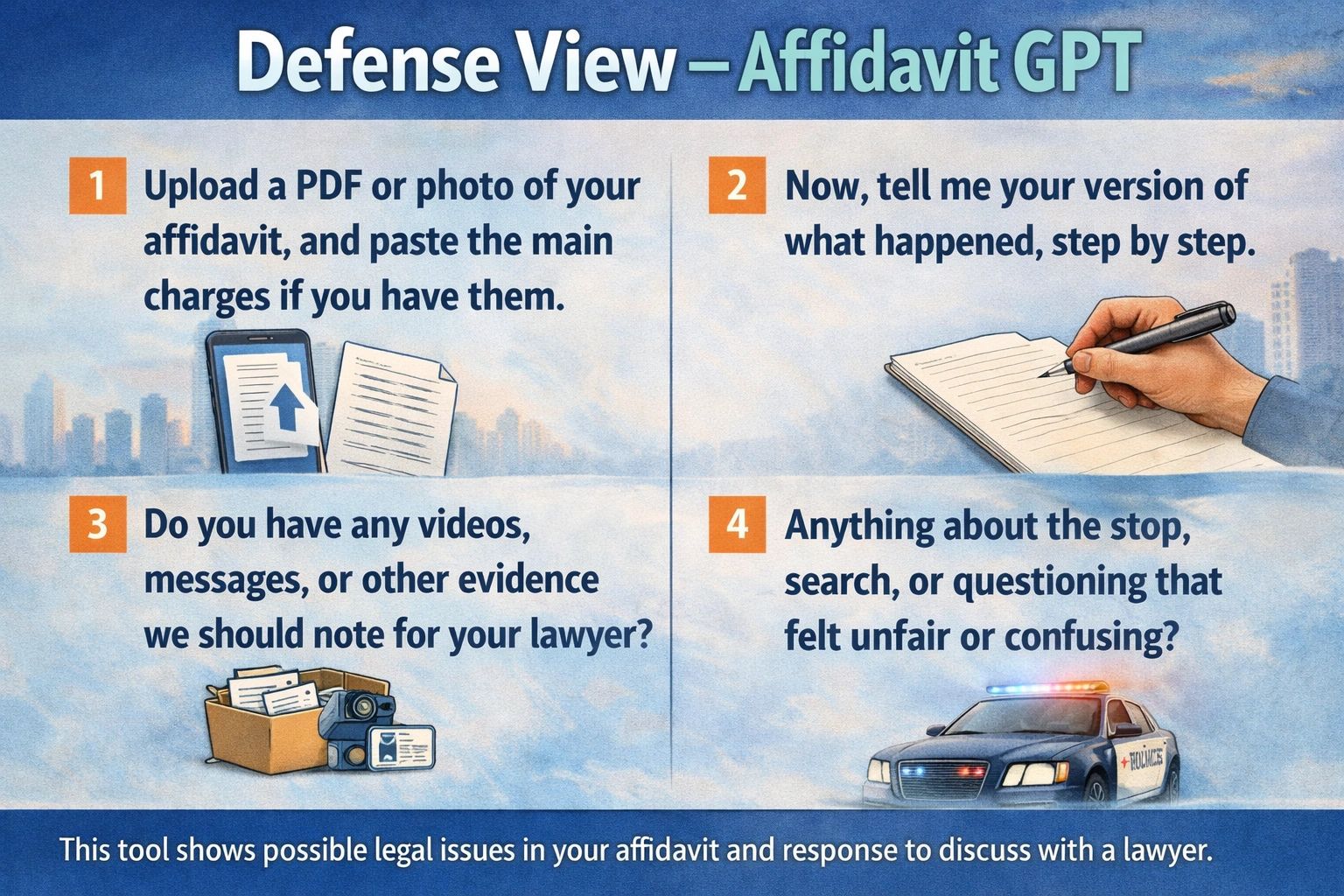
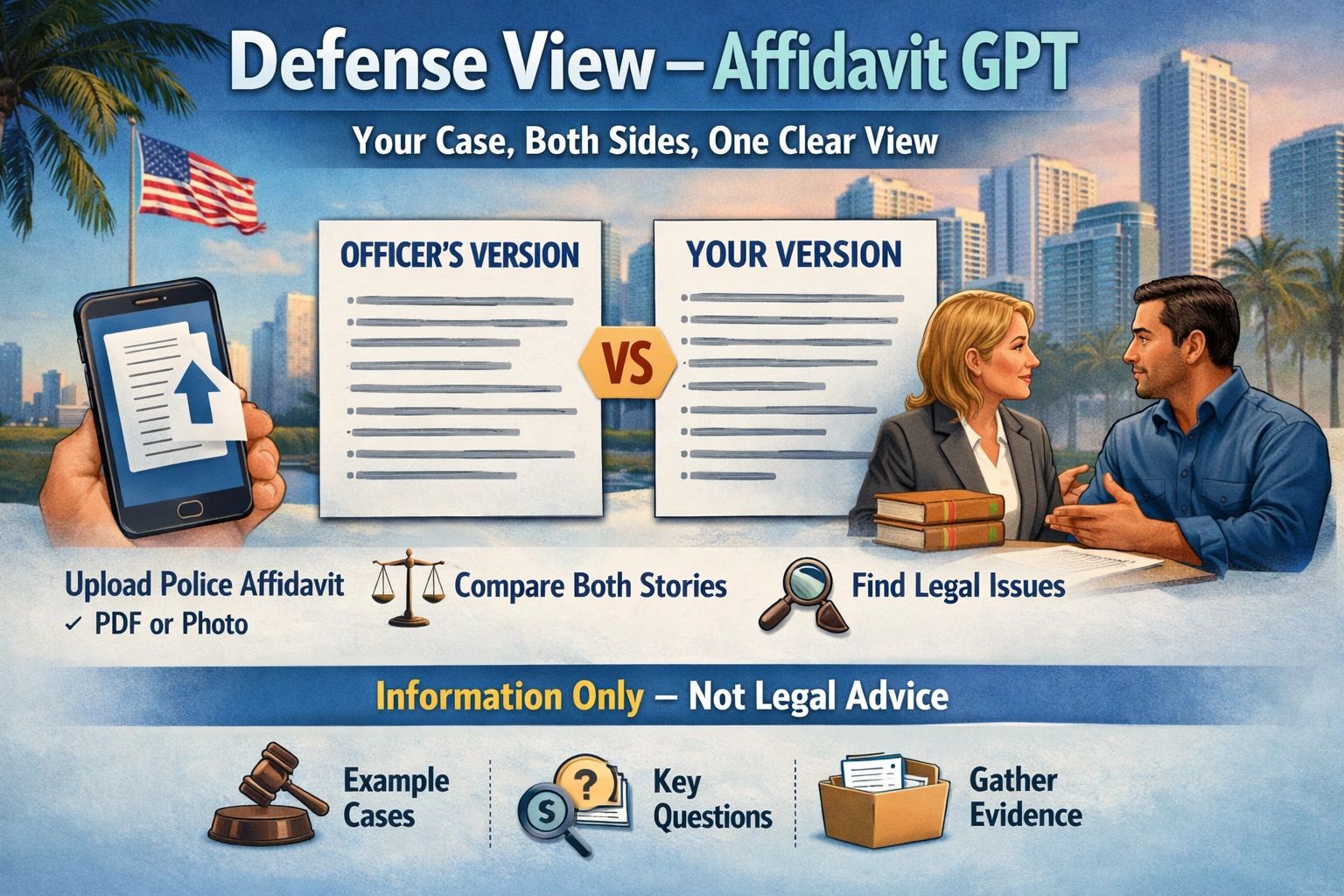
Before you use any part of this tool in a real case, understand this clearly: ALWAYS DISCUSS EVERYTHING WITH YOUR LAWYER OR PUBLIC DEFENDER FIRST. This GPT is built to help you organize facts, timelines, and evidence—but your legal strategy, filings, and decisions must be guided by licensed counsel and the rules of your court.
Closing
I created Defense View — Affidavit GPT because I learned, firsthand, how fast life can turn into paperwork, allegations, deadlines, and high-stakes decisions. I never imagined that running for Mayor of Miami-Dade County would lead to me being placed in custody and facing felony charges.
Because my matter is currently in an active legal process, there are many details I cannot discuss at this time. However, after February 9th, I expect to be able to speak more freely and clearly about what happened and why I believe tools like this are necessary for everyday people who need structure, accuracy, and fairness when their freedom is on the line.
Thank you for reading, and thank you for supporting my work.
Signed, Victor J. Rosario Future Mayor of Miami-Dade County Defense View — Affidavit GPT Creator
#VictorJRosario #MiamiDade #Justice #DueProcess #DefenseView #AffidavitGPT #TruthMatters #Accountability #PublicRecord #WeThePeople
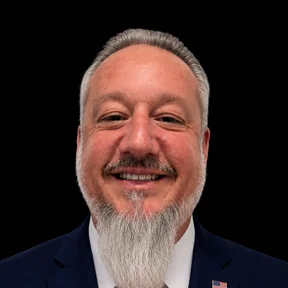
About Victor J. Rosario
Victor J. Rosario is the Residents-First candidate for Miami-Dade County Mayor 2028. A U.S. Coast Guard veteran, entrepreneur, technologist, and artist, Victor brings a track record of building real solutions — from AI tools to campaign policy — that serve Miami-Dade's 2.8 million residents.
Learn More About Victor